
AI chatbots for the classroom – safe and built on sound teaching

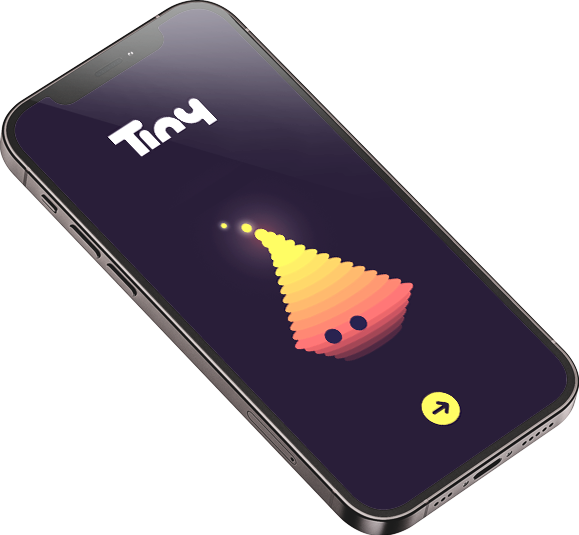
In Tiny, every student chats with their own chatbot about a topic you set. The chatbots were designed by subject-teaching specialists together with classroom teachers – instead of handing out answers, they guide students with questions. You can see every conversation, and after the lesson you get a summary.
Free for teachers and students. Sign up with Google, Microsoft or email.

Who is Tiny for
For educators who want to use AI in class—without losing control
Teachers of any subject
languages, science, history, social studies, maths, vocational subjects; primary and secondary schools

Teachers who have already tried AI
With other tools, they find they can’t see how students are working with AI and have no control over the content.
Students aged 11 and up
13+ with no restrictions; ages 11–12 need consent from a parent or guardian.

Chatbots that teach students to think
Tiny is an educational app with eleven chatbots for your lessons, all designed by our team of teaching specialists. You simply enter a topic (e.g. “revising the present simple”) and Tiny takes care of the rest. Each student then has their own conversation on that topic. Rather than giving answers, the chatbot asks questions that help the student think things through.
You can follow all the conversations as they happen and look back at them any time. When the lesson ends, Tiny sends you a summary: what was covered, where students got stuck most often, and what you might try differently next time.
Lesson preparation
Getting a lesson ready takes just a few minutes
Four steps from choosing a chatbot to a live lesson
Pick a chatbot
Choose one of the eleven Tinybots – from revision and quizzes to debate and brainstorming – to match your lesson goal.
Enter a topic
Just one sentence, such as “Practising the present simple.” Tiny takes care of the teaching side of the conversation.
Students join
Students sign up, enter a four-digit code and they’re in the lesson. Nothing to install – everything runs in the browser.
Everything under control
During the lesson, you can look through all the conversations. When the activity ends, Tiny prepares a summary for each student and for the whole class.
You're always in the loop
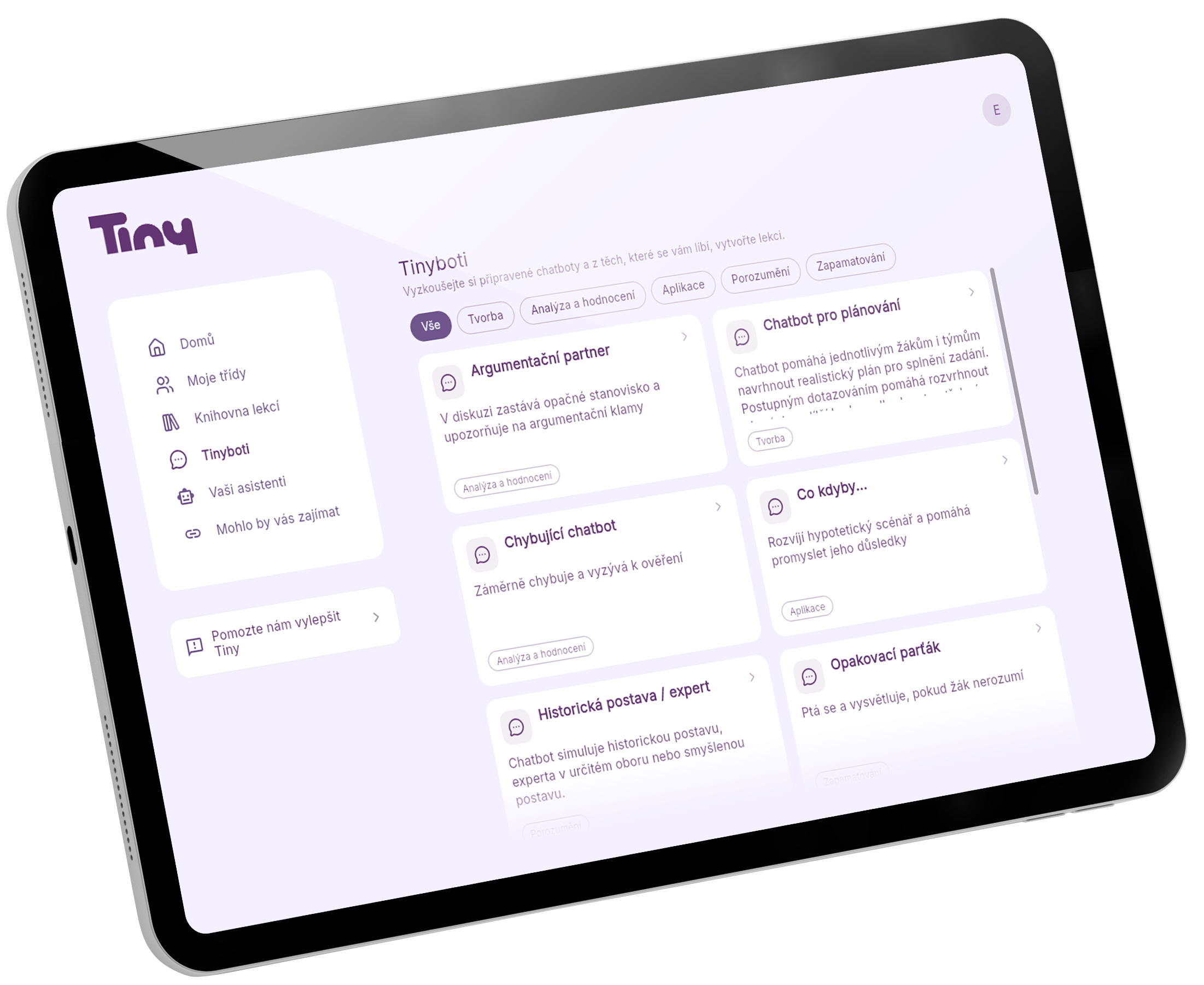
At any time, you can view each student’s conversation, follow what’s happening in the lesson, and generate a summary of all the conversations at the end.
Real-time overview of conversations
Open any student’s chat and see the whole conversation: what they asked, how the chatbot replied and where they may have got stuck.
Lesson summary from Tiny
After the lesson, Tiny gives you an overall summary: which topics came up, where students got stuck most often and what to try differently next time.
Chatbots that stay on topic
Tiny’s chatbots stick to the topic you set for the lesson. If a conversation starts to drift, the chatbot gently steers it back to the subject.
Alerts about inappropriate content
If a conversation goes somewhere it shouldn’t, you’ll get an alert during the lesson, so you can step in right away.
Tinybots catalogue
11 Tinybots. One for every stage of learning.
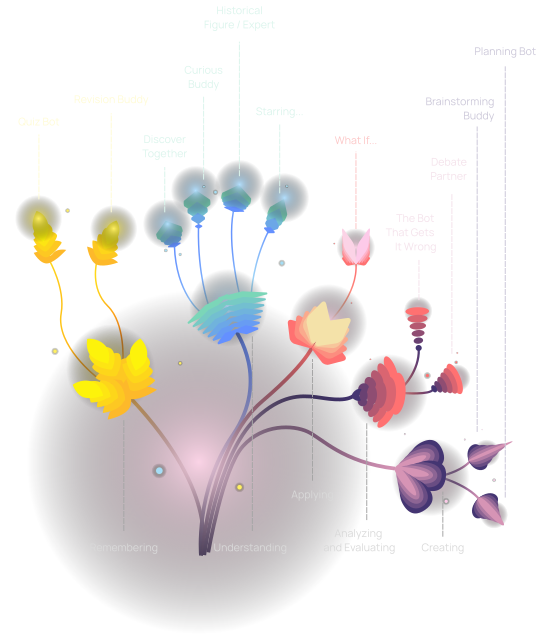
To make them easier to navigate, we’ve grouped the Tinybots into categories based on the revised Bloom’s taxonomy. The flower diagram shows the cognitive levels, named at the bottom of the image, with the individual Tinybots branching out from them at the top. The categories help Tiny set the right learning goals and assessment criteria, which we then use to give you and your students feedback on each conversation.
Remembering
When you want students to consolidate what they’ve learned
Revision Buddy
Walks students through revising what they’ve learned. Breaks the material into smaller steps, asks follow-up questions and comes back to mistakes. A patient guide that adapts to each student’s pace.
Great for: vocabulary, formulas, key terms, dates…
Quiz Bot
Creates and marks tasks in a variety of formats – multiple choice, short answer, fill in the blanks, matching… At the end, it gives the student a summary of how they did.
Great for: checking knowledge at the start or end of a lesson.
Understanding
When you want students to truly understand the material
Discover Together
Guides students through learning by asking questions. Instead of explaining, it asks, checks understanding and probes for connections. Ideal for independent study or gifted students.
Great for: in-depth work with texts and exploring a topic independently.
Curious Buddy
Pretends not to understand the topic and asks the student to explain it. It asks about terms, relationships and causes. If a student can’t explain something, you’ll see it straight away.
Great for: checking that students truly understand the material – not just recognise it.
Historical Figure / Expert
The chatbot takes on the role of a historical figure and answers from their perspective. Through conversation, students get to know the era, the person’s motivations and the wider context.
Great for: history, literature, social studies… (Charles IV, Comenius, Marie Curie, Darwin).
Starring…
The chatbot becomes anything at all – a cell, a sodium atom, a rainbow, a flower – and answers in the first person. Students learn to ask precise questions and discover the properties of what they’re studying through dialogue.
Great for: science, biology, chemistry, physics…
Applying
When you want students to put their knowledge or skills to work
What If…
Presents a hypothetical scenario (“What would happen if the Sun went out?”, “What if Europe had never had an Industrial Revolution?”) and helps the student think through the consequences.
Great for: developing cause-and-effect thinking and applying knowledge and skills in new contexts.
Analysing & Evaluating
When you want to build critical thinking
Debate Partner
Argues the opposing side. It exposes weak spots in the student’s reasoning, points out logical fallacies and pushes them to back up claims with evidence.
Great for: social studies, media literacy, philosophy… anywhere you want to build argumentation skills.
The Bot That Gets It Wrong
Deliberately presents incorrect information and challenges the student to disprove or fact-check it. Excellent practice in critical thinking and working with sources.
Great for: any subject where you want to build reading comprehension.
Creating
When you want students to come up with something new
Brainstorming Buddy
Helps students open up their thinking, come up with options and perspectives, and then choose between them. It isn’t looking for the right answer – it’s looking for as many ideas as possible.
Great for: project-based learning, essays, designing experiments, creative assignments…
Planning Bot
Helps a student (or a team) break work down into concrete steps – estimate time, set priorities, spot risks and divide roles.
Great for: group projects, year-long assignments, long-term tasks…
Teaching guides
A teaching guide for every Tinybot
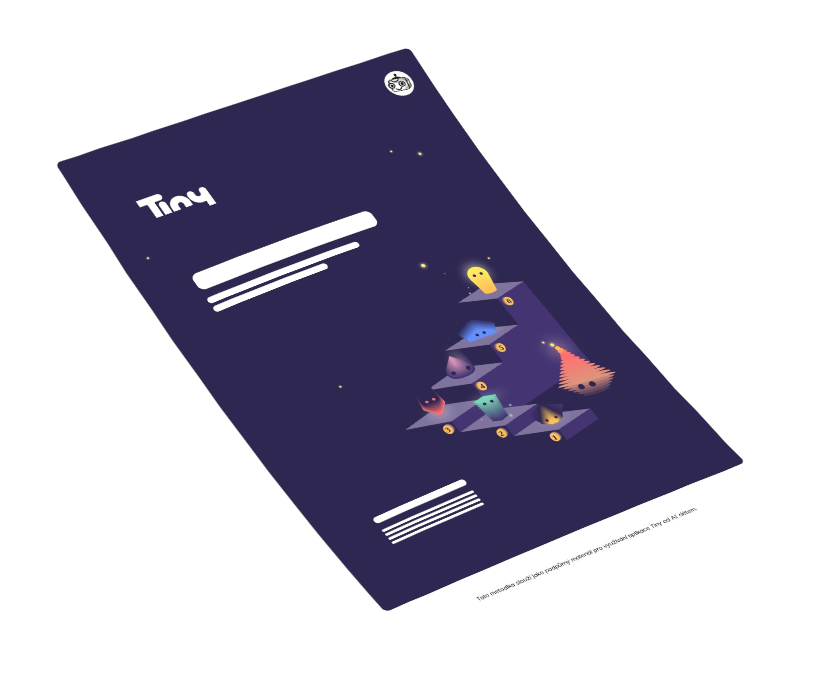
Our team of teaching specialists has prepared an explanation of each Tinybot, along with example uses in different subjects. All guides are available to download as PDFs.
Let's stay in touch!
We’d love to hear from you. Questions, ideas or feedback – just drop us an email.
Testimonials
Tiny is already used in dozens of schools
Tiny is being piloted by teachers of languages, science, history and vocational subjects – in both primary and secondary schools.

FAQ
Before you start
Tiny is free for teachers and students. The app is developed by the non-profit AI dětem, with support from Google.org and the Technology Agency of the Czech Republic (TA ČR).
Absolutely. The chatbots are designed to work across subjects – maths, history, biology, English and more. You set the specific topic and learning goal. Our pilot teachers have used Tiny in primary and secondary schools, in languages, biology, history and vocational subjects (such as construction).
A computer, tablet or phone with a web browser and an internet connection. Nothing to install, no other requirements.
No. The Tinybots are prepared by our teaching specialists and tested in schools. All you need to do is enter a topic and learning goal. If you’d like, you can write your own prompt or use our AI assistant.
Sign-up & accounts
Yes. Students sign up using their school Microsoft 365 or Google Workspace account, or by email. They then join a specific lesson with a four-digit code you give them. Every lesson has its own unique code.
Access to Tiny is activated for the school as a whole, not for individual teachers. That’s why the sign-up must be confirmed by someone who can make decisions for the school – typically the head teacher or deputy head.
We’ll then send this person an email with the Tiny Terms of Use and our Privacy Notice. The first document explains what the school and its users agree to, and what we, as the app’s operators, commit to. The second explains which data about teachers and students we collect, what we use it for, how long we keep it and what we never do with it. They just need to read both documents and confirm their agreement directly in the email. Nothing needs to be filled in or printed.
Tiny works with your students’ data. We don’t want to bury this in paperwork, but we do want to be transparent and on the same page as the school – so the school knows what it’s signing up for, and we know who to contact there if needed. Please don’t enter yourself or a colleague unless you are authorised to make decisions for the school.
If we don’t receive confirmation, we will have to restrict the use of Tiny.
Short answer: Tiny is designed primarily for students aged 13 and over, for whom no further steps are needed from the school or parents. For students under 13 (but at least 11), parental consent is required.
In more detail: From the start, Tiny was designed as an educational app – not as a service that processes personal data on the basis of user consent. It is built to be used at school, during lessons and under a teacher’s guidance; this is one of the core principles behind the app.
Tiny processes only the data needed for it to work (name, email, gender and school year), solely so that each student can have an account and use the app. We never use any personal data for marketing to students or for training AI models.
This means that neither the consent of a student over 13 nor that of their parents is needed to create an account – the GDPR rules on the minimum age of consent do not apply to Tiny. We also consider 13 an age at which students are mature enough to handle signing up – and they always do so under a teacher’s guidance. Access to each lesson is then protected by a code that the teacher shares at the start of the activity.
If you’d like to use Tiny with children under 13, you should obtain their parents’ consent. We’re happy to help – at the very least with a template consent form.
Please do not use Tiny with children under 11, even with parental consent. They’re still too young to work with a chatbot.
When a school enters into an agreement with us (by accepting the Terms of Use), it automatically also enters into a Data Processing Agreement. In this way, the school, as the data controller, also meets this GDPR obligation.
Signing in with a Google account may require approval from your IT administrator.
Here’s how: Google Admin console → Security → Access and data control → API controls → Accessed apps.
Then select the Tiny app → Change access → set access to Trusted → Allowlist (exempt from blocking).
Using Tiny in class
Short answer: Tiny is designed primarily for classroom use under a teacher’s guidance. Access to each lesson is protected by a code that the teacher shares with students at the start of the lesson – without it, students can’t get into Tiny.
In more detail: If a teacher leaves a lesson active after class has ended, students can technically keep working in Tiny from home. This is possible, and some teachers use it on purpose – for homework or independent practice, for example. However, it’s the teacher’s decision, made in the knowledge that in this case they won’t be supervising students’ conversations in real time.
Given the way large language models work, this can’t be ruled out entirely. That’s why we recommend treating AI output as a starting point, and reminding students that AI models can “hallucinate” — so it’s important to check what they say.
Data, privacy & security
Short answer: We protect students on two levels – within the app itself and in how we handle data.
In the app, students can only get into Tiny with a four-digit code that the teacher gives them at the start of each lesson. The teacher can see all ongoing conversations and receives an alert if a conversation drifts off topic or somewhere it shouldn’t go. Tiny is designed exclusively for schools and for learning under a teacher’s guidance, which means students don’t have unlimited access to it.
Student data is stored on servers in the European Union and encrypted in transit. Before being sent to the language model (OpenAI), it is anonymised – so the model provider receives no information that could identify an individual student.
In more detail: We follow the principle of data minimisation, processing only the personal data needed to create a student’s account. We do not process any special categories of personal data – that is, sensitive data relating to health, racial or ethnic origin, religious beliefs and so on.
Tiny also includes an automatic system for detecting personal and sensitive data. If a student includes someone else’s personal details in a prompt – such as a name and address – or information about their own or someone else’s health, Tiny catches it and stops it from being sent to the language model.
We never use or share students’ personal data to train AI models. We have Data Processing Agreements (DPAs) with our language model providers (e.g. OpenAI), in which they guarantee that they do not use user inputs (prompts) to further train their models.
Students – and, where relevant, their parents – have all their rights under the GDPR, including the right to access, correct or delete their personal data. When our cooperation with a school ends, we permanently delete all data, including personal data, within 30 days. Full information on how we process personal data is available at tiny.school/osobni-udaje.
We consider protecting children’s privacy and safety essential. That’s why Tiny is built on the principle of Privacy by Design – students’ privacy is protected by the system’s architecture itself, not just by rules. We also apply a range of technical and organisational measures to protect personal data, as required by the GDPR and widely recognised secure software development standards.
Tiny currently uses language models from OpenAI. We don’t send the models any data that would allow them to identify a student. We may change or add models in the future to make sure Tiny always works as well as possible.
Try Tiny in your next lesson
It only takes a few minutes to prepare. Pick a chatbot, add a topic and your students join with a PIN.
Tiny is brought to you by AI dětem and Google.org
Tiny is developed by the Czech non-profit AI dětem (AI for Children) together with an international team of subject-teaching specialists, curriculum designers, developers and academics. The app is built on research with the Faculty of Mathematics and Physics at Charles University, pilot testing in schools and trials with teachers in real lessons.